
The Social Insurance Number (SIN) Code of Practice
On this page
- List of abbreviations
- Section 1 – Introduction
- Section 2 – Information for SIN holders PDFs available
- Section 3 – Information for employers
- Section 4 – Information for private sector organizations
- Section 5 – Information for Service Canada and Service Canada’s partners
- Section 6 – Service Canada employees’ duties
- Section 7 – SIN safety: best practices against breaches and fraud PDFs available
Alternate formats

The Social Insurance Number (SIN) Code of Practice [PDF - 668 KB]
Large print, braille, MP3 (audio), e-text and DAISY formats are available on demand by ordering online or calling 1 800 O-Canada (1-800-622-6232). If you use a teletypewriter (TTY), call 1-800-926-9105.
List of abbreviations
- CEIC
- Canada Employment Insurance Commission
- CPP
- Canada Pension Plan
- CRA
- Canada Revenue Agency
- CPO
- Chief Privacy Officer
- DESDA
- Department of Employment and Social Development Act
- ESDC
- Employment and Social Development Canada
- EI
- Employment Insurance
- IRCC
- Immigration, Refugees and Citizenship Canada
- ISB
- Integrity Services Branch
- MSCA
- My Service Canada Account
- OPC
- Office of the Privacy Commissioner of Canada
- PIPEDA
- Personal Information Protection and Electronic Documents Act
- QPIP
- Québec Parental Insurance Plan
- QPP
- Québec Pension Plan
- SIN
- Social Insurance Number
- SIR
- Social Insurance Register
- TBS
- Treasury Board Secretariat
Section 1 – Introduction
In this section
Overview
The SIN Code of Practice states the roles and duties of SIN users. SIN users include:
- individuals
- employers
- private sector and not-for-profit organizations
- Service Canada and its federal and provincial government partners
- Service Canada employees
The purpose of the Code of Practice is to:
- create a clear set of rules to protect privacy, keep information secure, and make sure everything is accurate when using and managing Social Insurance Numbers (SINs)
- increase awareness about the shared duty to protect the SIN from inappropriate use and fraud
- provide standards to help all SIN users understand and fulfil their duties
The Code of Practice respects and explains relevant laws, policies and directives. Some examples are:
- Department of Employment and Social Development Act (DESDA)
- Employment Insurance Act
- Privacy Act
- Personal Information Protection and Electronic Documents Act (PIPEDA)
- Policy on Privacy Protection
- Directive of Social Insurance Number
These documents provide direction on the use of the SIN. Over 150 provincial and territorial laws reference the SIN. For specific requirements, consult your provincial or territorial government. SIN users must comply with applicable laws and policies at the federal and provincial levels.
1.1 Background
The SIN is a unique 9-digit number. The Department of Employment and Social Development Act (DESDA) describes it for use as a file number, account number or data processing purposes. The SIN program was introduced in 1964 with a simple purpose: to register people for Unemployment Insurance.
Over time, it began to be used for other purposes. In 1965, the Canada Pension Plan (CPP) and the Quebec Pension Plan (QPP) began to use the SIN as a file number. In 1967, the SIN also became a file number for income tax.
Today, the SIN is used in managing employment records, tax filings, and access to government programs. A SIN is required for most individuals who work in Canada, as well as those applying for government benefits and services. At Service Canada, we issue a SIN to a person for life. No one may use another person’s SIN as if it is their own. It is important to safeguard the integrity of the SIN to protect people, organizations, and the government against fraud and misuse.
The SIN isn’t a form of ID. It’s a confidential number used strictly for administrative purposes. To help prevent theft and to discourage the use of the SIN as identification, the government stopped issuing physical SIN cards in 2014. Instead, people now receive an in-person or mailed confirmation letter, or a digital confirmation letter through MSCA when they’re assigned a SIN.
Section 2 – Information for SIN holders
In this section
Overview
Department of Employment and Social Development Act (DESDA) and the Employment Insurance Act specify who needs a SIN for employment purposes. This includes:
- Canadian citizens
- permanent residents
- temporary residents
You also need a SIN to receive benefits and services from government programs.
The Employment Insurance Regulations require you to have a SIN for employment purposes. You must provide your SIN to your employer no later than 3 days after your employment start date.
If you don't already have a SIN, this doesn’t prevent you from working. However, you must apply for your SIN within 3 days after your employment start date. Then, you must provide your SIN to your employer no later than 3 days after the date you receive your SIN.
Under the Income Tax Act, you need a SIN:
- to complete your income tax return
- when applying for Employment Insurance (EI)
- when applying for Canada Pension Plan and applying for Quebec Pension Plan (CPP/QPP) benefits
Certain private sector entities must ask for your SIN. They do this for any accounts and investments that pay income (such as interest and dividends). This includes:
- banks
- credit unions
- trust companies
If you earn income as a seller on a digital platform, you’re now required to share your SIN with the operators of the digital platform for income tax purposes. Sellers who will have their information collected and reported to the CRA may include those who participate in the following activities:
- sale of goods
- rental of real or immovable property (both residential and commercial)
- rideshare and delivery services
- personal services
For more information, take a look at the Reporting Rules for Digital Platform Operators.
The SIN is personal information under the Privacy Act. You can protect your own privacy by keeping control of your personal information and treating the SIN as confidential. Except for specific government programs, you have a choice about the collection and use of your SIN. You should provide it only when the law requires it. This helps to prevent fraud and to ensure that your personal information remains private. If you share it outside of the uses prescribed by law, you must accept the risk of doing so.
It isn’t against the law to ask for an individual’s SIN. Many private sector organizations do ask for your SIN. This is part of their policies and procedures. But, at Service Canada, we discourage such practices.
The Personal Information Protection and Electronic Documents Act (PIPEDA) is the federal privacy law for private sector organizations. PIPEDA protects your right to privacy.
PIPEDA requires private sector organizations to follow rules for the collection, use and disclosure of personal data. These rules include putting safeguards in place to protect your personal data. They protect your personal data against loss, theft or unauthorized disclosure.
According to PIPEDA, you have the right to:
- know why an organization collects, uses or discloses your personal information
- expect an organization to collect, use or disclose your personal information appropriately
- expect an organization to only use information for purposes that you agreed to
- know who in the organization is in charge of protecting your personal information
- expect an organization to protect your personal information by taking the proper security measures
- expect the personal information an organization holds about you to be accurate, complete and up to date
- access your personal information and request changes
- complain about how an organization handles your personal information
For more information on how PIPEDA applies to the use of the SIN, please visit the Office of the Privacy Commissioner’s website.
Remember: The law doesn’t allow private sector businesses to require a client’s SIN for purposes other than income reporting. No one can deny you a product or service for refusing to provide your SIN when the law doesn’t require it.
To inform yourself further on this subject, please refer to: Protecting your Social Insurance Number.
2.1 Key duties of SIN holders
As a SIN holder, you have 4 key duties to protect your SIN.
1. Never give out your SIN unless you're sure the law requires it or unless you're satisfied it’s necessary and you understand the risks
An overview of appropriate uses of your SIN is provided in section 2.5, Do’s and don’ts: when to provide your SIN.
You must provide your SIN to take part in some government programs and services. To inform yourself about federal legislation and the government’s use of SINs, refer to the Treasury Board of Canada Secretariat’s Directive on Social Insurance Number.
You must provide your SIN to your employer for income tax and benefit purposes. In some cases, you must give your SIN to certain private sector entities. Except when required by law, it’s your decision when to share your SIN information and with whom.
You can share your SIN outside of legally prescribed uses. However, in doing so, you may expose yourself to a heightened risk of fraud or identity theft. You should only do so if you are willing to assume that risk.
Some private sector organizations will ask for your SIN when checking your credit rating. This is to increase the probability that they’re checking or updating the right credit records. When asked for your SIN for a credit check, you aren’t legally required to provide it. You could optionally provide the requestor with a copy of your credit report as an alternative. This credit report should not include your SIN.
No one can deny you a product or service for refusing to provide your SIN when it’s not required by law. If an organization refuses to give you a product or service unless you give your SIN, you may file a complaint following the instructions in the section below (2.1.2).
2. Take steps to protect your SIN from theft and misuse
The Privacy Act defines the SIN as personal information. As such, all SIN users should work to protect it. If someone steals your SIN, they could use it to gain access to a wide range of your personal information and to benefits and services in your name. As a SIN holder, you have key duties to protect your SIN. Follow 7.2, Do’s and don’ts: protecting your SIN
Many organizations aren’t aware of the appropriate uses of the SIN. Act if you think that a private organization isn’t safeguarding your personal information or your SIN properly. Speak to the person in charge if an organization refuses to provide the product or service that you requested unless you disclose your SIN. You may also use the organization’s complaint process.
If you're not satisfied with the organization’s response or suspect that the organization isn’t a good steward of your personal information:
- contact the organization’s industry association, ombudsman or complaint office, or
- call 1-800-282-1376 to make a formal complaint against the organization to the Office of the Privacy Commissioner of Canada
As examples, the Canadian Marketing Association and the Ombudsman for Banking Services and Investments handle client complaints about their member companies.
3. Inform Service Canada and other appropriate authorities if you have proof any actor is using your SIN in a fraudulent way
Criminals may use stolen or lost SINs to defraud governments, organizations, and individuals. If someone else uses your SIN to work illegally or to get credit, governments may tax you for income you didn’t earn. You may also have difficulty when you apply for credit. Even if you take steps to safeguard your personal information, you could still be a victim of identity theft. Thieves are becoming more creative in their attempts to steal personal information. If you suspect that someone is using your SIN fraudulently, it is important to act fast. 7.3, What to do if you suspect your SIN is compromised instructs you on steps to take and relevant contact information.
4. Contact Service Canada
You should contact Service Canada when:
- you legally change your name
- your citizenship status changes
- your temporary SIN expires
- you'd like to update your gender designation
- you have proof that someone is using your SIN in a fraudulent way
- you discover that information on your SIN record is incorrect or incomplete
If you have forgotten your SIN, you can:
- find it on your income tax return, tax slips, record of employment, or Registered Retirement Savings Plan (RRSP) contribution
- view and print it by signing in or registering for My Service Canada Account (MSCA)
- obtain a confirmation of your SIN by submitting an application
For more information on how to request a confirmation of your SIN, visit the Social Insurance Number website.
You can also contact Service Canada to update your Social Insurance Register (SIR) record.
- If your name has changed, you must update it in your SIN record. This is regardless of the reason for the name change (because of marriage or otherwise). You must apply to update your SIN record under the new name within 60 days of your name change.
To update your SIR record, you can apply:
- online
- in person at a Service Canada Centre
- by mail
2.2 SIN Information for students
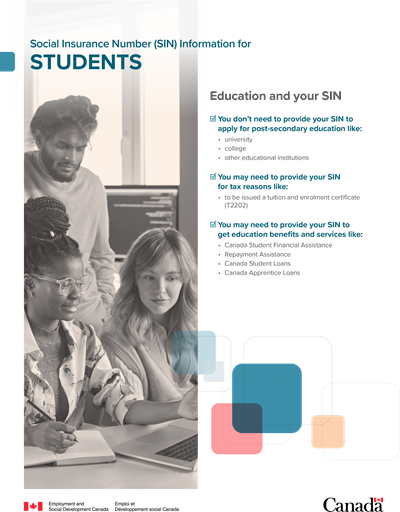
Education and your SIN
- You don’t need to provide your SIN to apply for post-secondary education like:
- university
- college
- other educational institutions
- You may need to provide your SIN for tax reasons like:
- to be issued a tuition and enrolment certificate (T2202)
- You may need to provide your SIN to get education benefits and services like:
- Canada Student Financial Assistance
- Repayment Assistance
- Canada Student Loans
- Canada Apprentice Loans
Download the alternate format
(PDF, 170 KB)
2.3 SIN information for newcomers and temporary residents
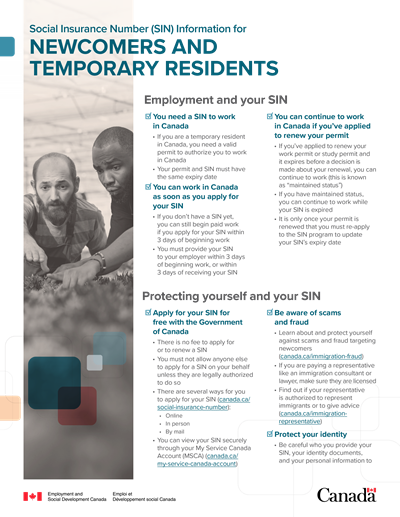
Employment and your SIN
- You need a SIN to work in Canada
- If you are a temporary resident in Canada, you need a valid permit to authorize you to work in Canada
- Your permit and SIN must have the same expiry date
- You can work in Canada as soon as you apply for your SIN
- If you don’t have a SIN yet, you can still begin paid work if you apply for your SIN within 3 days of beginning work
- You must provide your SIN to your employer within 3 days of beginning work, or within 3 days of receiving your SIN
- You can continue to work in Canada if you’ve applied to renew your permit
- If you’ve applied to renew your work permit or study permit and it expires before a decision is made about your renewal, you can continue to work (this is known as “maintained status”)
- If you have maintained status, you can continue to work while your SIN is expired
- It is only once your permit is renewed and you received the official permit that you must re-apply to the SIN program to update your SIN’s expiry date
Protecting yourself and your SIN
- Apply for your SIN for free with the Government of Canada
- There is no fee to apply for or to renew a SIN
- You must not allow anyone else to apply for a SIN on your behalf unless they are legally authorized to do so
- There are several ways for you to apply for your SIN
- Online
- In person
- By mail
- You can view your SIN securely through your My Service Canada Account (MSCA)
- Be aware of scams and fraud
- Learn about and protect yourself against scams and fraud targeting newcomers
- If you are paying a representative like an immigration consultant or lawyer, make sure they’re licensed
- Find out if your representative is authorized to represent immigrants or to give advice
- Protect your identity
- Be careful who you provide your SIN, your identity documents, and your personal information to
Download the alternate format
(PDF, 107 KB)
2.4 Service Canada’s commitment to SIN holders
At Service Canada, we have the duty to protect a person’s SIN from inappropriate use, fraud and theft within federal government benefits and programs. We take this duty very seriously and have many ways of safeguarding SINs. We also ensure the accuracy of information in the SIR. This includes well-defined and functioning practices that detect and protect against improper access to personal information.
At Service Canada, we:
- monitor and restrict access to your SIN and personal information
- allow access only to authorized individuals and organizations with a “need to know”
- carefully check that the identity of SIN holders and applicants is correct to maintain the accuracy and completeness of personal information
- inform SIN holders about the proper protection, use and disclosure of the SIN
- assist all clients wanting information about the SIN or government services related to it
Section 5, Information for Government and Service Canada’s partners describes Service Canada and our partners’ roles and duties related to the SIN.
2.5 Do’s and don’ts: when to provide your SIN
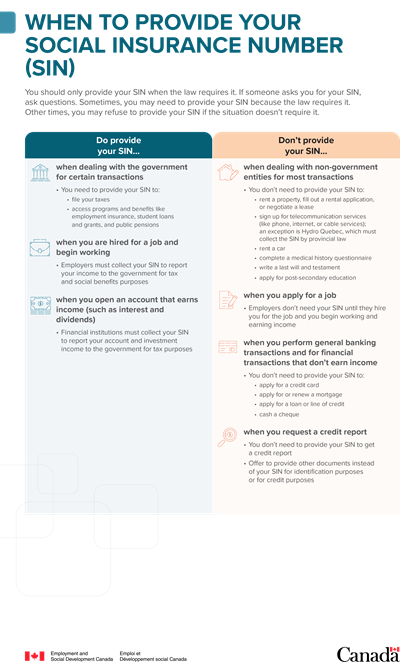
You should only provide your SIN when the law requires it. If someone asks you for your SIN, ask questions. Sometimes, you may need to provide your SIN because the law requires it. Other times, you may refuse to provide your SIN if the situation doesn’t require it.
Do provide your SIN:
- when dealing with the government for certain transactions
- You need to provide your SIN to:
- file your taxes
- access programs and benefits like employment insurance, student loans and grants, and public pensions
- You need to provide your SIN to:
- when you are hired for a job and begin working
- Employers must collect your SIN to report your income to the government for tax and social benefits purposes
- when you open an account that earns income (such as interest and dividends)
- Financial institutions must collect your SIN to report your account and investment income to the government for tax purposes
Don’t provide your SIN:
- when dealing with non-government entities for most transactions
- you don’t need to provide your SIN to:
- rent a property, fill out a rental application, or negotiate a lease
- sign up for telecommunication services (like phone, internet, or cable services); an exception is Hydro Quebec, which must collect the SIN by provincial law
- rent a car
- complete a medical history questionnaire
- write a last will and testament
- apply for post-secondary education
- you don’t need to provide your SIN to:
- when you apply for a job
- Employers don’t need your SIN until they hire you for the job and you begin working and earning income
- when you perform general banking transactions and for financial transactions that don’t earn income
- You don’t need to provide your SIN to:
- apply for a credit card
- apply for or renew a mortgage
- apply for a loan or line of credit
- cash a cheque
- when you request a credit report
- You don’t need to provide your SIN to get a credit report
- Offer to provide other documents instead of your SIN for identification purposes or for credit purposes
Download the alternate format
(PDF, 85 KB)
Section 3 – Information for employers
In this section
Overview
As an employer, you must request the Social Insurance Number (SIN) of each employee you hire. This is to provide each employee with a Record of Employment (ROE). This is also to provide them with various year-end reporting slips. These include, for example, the T4 for income tax purposes. Employers also use SINs to record and forward employee payroll deductions for:
- income tax
- Employment Insurance (EI) program
- Canada Pension Plan (CPP) or Québec Pension Plan (QPP), and
- Quebec Parental Insurance Plan (QPIP)
3.1 Key duties of employers
As an employer, you play a vital role in protecting the SIN from fraud, and theft. You must ensure that you identify employees correctly and request other pieces of identification before finalizing their employment documents. A SIN card or SIN confirmation letter isn’t an identity document or a piece of identification. Employees cannot use these documents for this purpose.
Private sector employers may also have specific roles and duties for the SIN and for personal information. Inform yourself further about private sector duties in Section 4, Information for private sector organizations.
1. By law, you must request each new employee’s SIN no more than 3 days after the day employment begins
If a new employee doesn’t have a SIN and is eligible to work in Canada, tell them to apply for a SIN. They must do so within the first 3 days of employment. This doesn’t prevent the individual from working before getting their SIN. They must inform you of their SIN within 3 days of getting their SIN confirmation letter.
Every person working in insurable employment in Canada must have a SIN. This is according to the Income Tax Act, the Canada Pension Plan and the Employment Insurance Act.
For more information on how to confirm the SIN of an employee, see section 3.2, Information about the use of the SIN and employers.
2. You must ensure that employees with a SIN beginning with the number "9" have authorization to work in Canada
Immigration, Refugees and Citizenship Canada (IRCC) approves temporary residents to work in Canada. These residents are neither Canadian citizens nor permanent residents and receive SINs that begin with the number "9."
These SINs are valid based on IRCC’s work permits. They correspond to the date the foreign worker may work in Canada. The SIN alone doesn’t allow them to work. You must verify all terms and conditions on the work permit before hiring them. This includes authorized dates and work locations.
If the immigration document of a foreign worker expires, you must ask the employee to get a valid document before you hire them. You must ask the employee to contact IRCC to do so. You must also inform the employee to apply with the new immigration document to us at Service Canada. This is to update the SIN record with the new expiry date.
A temporary resident can work while the decision on their work or study permit renewal is pending. They can work even if their permit expires before they receive the decision or if they are waiting for their official permit by mail. In these situations, temporary residents can continue working, studying or using their SIN under the same conditions as long as they remain in Canada. This is according to paragraph 186(u) and section 189 of the Immigration and Refugee Protection Regulations.
These conditions remain valid until IRCC decides about renewing their work or study permit. The temporary resident then has "maintained status" (previously called implied status). For more information, visit IRCC's website for maintained status or our website Receiving your SIN and updating your SIN Record. You, as the employer, must verify the new immigration document once you get it. You must verify that IRCC’s decision allows the employee to continue working in Canada. You must also verify the new expiry date. You must inform the employee to update their SIN record with the new expiry date.
For more information, visit the IRCC website. You may also call the IRCC Call Centre at 1-888-242-2100 or TTY: 1-888-576-8502.
3. Employers must protect their employees’ personal information, including SINs, from theft and misuse
As an employer, you should store and dispose of employees’ personal information safely and securely. Only authorized persons may access this information. You must keep records of the CPP contributions, EI premiums and taxes that you withhold or deduct. You must keep these records for at least 6 years from the end of the last year that you employed the person. This is according to the Employment Insurance Act, the Canada Pension Plan Act and the Income Tax Act.
The Personal Information Protection and Electronic Documents Act (PIPEDA) is the federal privacy law for private sector organizations. This includes private sector employers. PIPEDA requires private organizations to follow policies when collecting, using, or disclosing personal data in their commercial work. Personal data may include the SIN.
These policies include putting in place security safeguards. See 3.4 Employers’ dos and don’ts: requesting, collecting, using and storing the SIN.
If someone steals, uses, or discloses employees’ SINs in a fraudulent way, you must act quickly. See 7.4 What to do if your organization is handling privacy breaches involving SINs.
4. Employers must inform Service Canada if they suspect a SIN is being misused
You play a leading role in detecting and preventing fraud relating to SINs. Illegal employment and income tax evasion are 2 of the main motives for SIN fraud. Every year, criminals and other actors use stolen, lost, borrowed, and fake SIN cards or confirmation letters. Fraudsters use them to defraud individuals, private sector organizations and governments.
If you suspect a SIN is compromised or being used for fraud, you must immediately report the issue. You must provide us at Service Canada with your CRA-issued business number. You must also provide information to authenticate the company and the SIN holder. To do so, you can visit our website Contact Social Insurance Number.
3.2 Information about the use of the SIN and employers
Your employees don't need to show you physical proof of their SIN. They don't need to provide their SIN card or confirmation letter to you.
Only employers may verify an employee’s SIN from the Social Insurance Number program. Payroll service providers can’t contact us to verify a SIN because they’re not the employer. Still, payroll service providers must receive the employees’ SINs. This is to fulfil their roles and duties to their client or the employer.
There should be a contractual agreement between the payroll service provider and the employer to explain this need. These agencies must adhere to the SIN Code of Practice.
To confirm the SIN of a current or former employee, contact our Social Insurance Number program. We’ll need your Canada Revenue Agency (CRA) issued business number. You must also provide correct information to authenticate the company and the SIN holder. This may include:
- name
- date of birth
Many people use a nickname, middle name or another name. You must ensure that you identify your employees correctly. You should record your employee’s legal name. You may remind employees that their SIN record should reflect their current legal name.
You should not use the SIN as an employee identifier. Serious problems could arise if the employee’s personal information is at risk. We strongly encourage you to use another method of employee identification. This is to protect your employees’ privacy and maintain the integrity of the SIN.
3.3 Service Canada’s commitment to employers
Identity fraud, including stolen, lost, and borrowed SINs, can lead to increased costs. These costs can harm individuals, private sector organizations and governments. Safeguarding the SIN is key to the management and delivery of many government services and benefit programs. You can help prevent SIN fraud and misuse.
Keep unauthorized persons from accessing employee files containing the SIN. You can also report suspected SIN misuse. Everyone should do their part to ensure their personal information is accurate and complete. Here at Service Canada we take this duty very seriously. We’ve many ways of keeping SINs and the accuracy of personal information secure.
To fulfil this duty to employers, we commit to:
- confirming and/or providing the SIN of their employees
- offering guidance, information and tools to help employers fulfill their SIN duties
- assisting employers when SIN information in their care is put at risk
- working with employers to detect, report and inquire into suspected misuse of a SIN
For a full description of our roles and duties related to the SIN, refer to section 5.1, Key duties of Service Canada and other authorized departments and agencies.
3.4 Employers’ dos and don’ts: requesting, collecting, using and storing the SIN
Do
- Request the SIN of new employees if the law requires it within 3 days of their start of employment
This doesn’t prevent the individual from working before getting their SIN. They can begin or continue working in insurable employment.
- Record the employee’s SIN in a secure area or on an encrypted computer system
- If in doubt about whether an employee’s SIN is valid, contact Service Canada’s Social Insurance Number program
This way you can verify the number. You can call us at 1-866-274-6627 within Canada.
- Be sure your new employee’s onboarding training includes key aspects about privacy of personal information and the SIN
- If a new employee’s SIN begins with a “9”, ensure that the work permit is valid.
Immigration, Refugees and Citizenship Canada (IRCC) issue the work permit. Follow all terms and conditions of the work permit.
- Go to the Get Cyber Safe - Canadian Centre for Cyber Security website to learn best practices for cyber security.
These tips will help you keep the personal information and SIN of your employees safe.
Don’t
- Don't ask for the SIN on a job application or during an interview
- Don't use the SIN as an employee identification number; use a unique identifier for your organization
- Don't hire someone who doesn't have a verified valid SIN except in cases where the employee provides proof that they've applied for a SIN
- Don't give an employee’s SIN to anyone unless they’re entitled by law to that information (for example, for income tax or government benefit purposes)
- Don't hire anyone without ensuring they’re authorized to work in your industry in Canada
- Don't allow SIN fraud to go unreported; report suspected fraudulent use of a SIN by contacting Service Canada
- Don't leave documents containing employees’ personal information or SINs in the open
Section 4 – Information for private sector organizations
In this section
Overview
Private sector organizations may collect the Social Insurance Number (SIN) for legally authorized purposes such as employment, income tax reporting, and government benefit programs.
Some organizations also use the SIN for other reasons, like verifying credit rating or identification. Service Canada discourages using the SIN for these purposes. This Auditor General’s report on the SIN suggests that these practices endanger the integrity of the SIN. This has increased the risk of SIN fraud and abuse.
The Office of the Privacy Commissioner of Canada advises against requesting a client’s SIN when the law doesn’t require it. Clients have the right to refuse to provide their SIN if it isn’t required by law.
Remember: Private Sector organizations are only legally required to request a SIN for income reporting. You cannot deny a client a product or service if they refuse to provide their SIN when the law doesn’t require it.
4.1 Key duties of private sector organizations
The Personal Information Protection and Electronic Documents Act (PIPEDA) is the federal privacy law for private sector organizations. The law balances a person's right to privacy with an organization's need to collect, use or disclose personal information. SINs are considered personal information as per PIPEDA.
PIPEDA requires private sector organizations to follow rules for the collection, use and disclosure of personal data (including SINs) during business activities. These rules include putting in place security safeguards to protect personal data against loss, theft or unauthorized disclosures. Innovation, Science and Economic Development Canada has overall policy management for PIPEDA.
A private sector organization like yours has 4 key duties to protect the SIN, which respect the principles of PIPEDA.
1. A private sector organization should never use the SIN as a piece of identification or as a client identification number
The SIN is not an identity document or a piece of identification and no one should use it for that purpose. As such, no one should view it as official government identification. Instead, to verify a client’s identity, request an appropriate piece of identification that includes specific data elements. Specific data elements may include:
- a name
- a date of birth
- a place of residence
You should never ask for a client’s SIN unless there is a legal need to collect it. The law does not allow private sector businesses to require clients' SIN for purposes other than income reporting. If your private sector organization collects the client’s SIN, you must follow PIPEDA, or applicable provincial legislation. This includes disclosing the purpose for using the SIN and getting consent. You must only use the SIN for the disclosed purposes.
If your private organization needs to assign a client identification number to its clients, you should create one of your own.
2. If you request a client’s SIN, you must then tell them why you’re requesting it and you must only use it for that purpose
There is only one reason a private sector organization legally needs the SIN from clients. Banks, credit unions and trust companies need your SIN for accounts and investments that pay income (such as interest and dividends). For example, financial institutions need the SIN to report the interest earned in a person’s bank account. If an account does not produce income, the law does not require your organization to ask for the client’s SIN.
Digital platform operators are now required to collect a tax identification number (TIN), such as the SIN, from users who earn income through their platforms. This is for income tax purposes. For more information, take a look at the Reporting Rules for Digital Platform Operators.
When you request a client’s SIN for a reason other than to report income earned, the law doesn’t require the client to provide their SIN. You should tell your client that in these cases, providing their SIN is optional and must be consensual.
3. A private sector organization cannot make clients provide their SIN without a legal need
You should inform your clients about this. You must receive a client’s consent to collect and use their SIN. If the law does not require providing a SIN, you should offer the client a way to withdraw consent. This option should be available at any time after the client provides their SIN to you. The ability to withdraw consent should be clear, easy to execute, secure and effective.
4. Private sector organizations must protect their clients’ personal information (including the SIN) from theft and inappropriate use or disclosure
If you receive your clients’ personal information, you must protect it. You must ensure the information is safe and secure from theft, inappropriate use or disclosure. Your organization should keep SINs under lock and key when they’re stored in hard-copy format. You should encrypt or password protect SINs stored in a digital format. You should also keep SINs stored away from other personal information.
Private sector organizations should follow section 4.4, Private sector dos and don’ts: Requesting, collecting, using and storing the SIN.
If someone steals or inappropriately uses your clients’ SINs, you must act. If your organization is subject to PIPEDA, mandatory reporting may be required. If the breach of personal information poses a real risk of significant harm to an individual, reporting is mandatory. There may be equivalent reporting requirements at the provincial level as well. For more information, see section 7.4, What to do if your organization is handling privacy breaches involving SINs.
4.2 Information about the use of the SIN in the private sector
At Service Canada, we strongly advise against private organizations requesting the SIN as identification. This is because:
- the SIN has no security features to identify the person
- the private sector is unable to verify the information in the SIR
- there is an increased risk for private sector entities that solely use the SIN for identification
- this practice may also increase the chances that identity thieves will target the organization
If your organization still wishes to request SINs for identification purposes only, you must not suggest in any way that you require SINs. You can’t require a SIN to establish a business relationship. You must make it clear that providing the SIN is optional and provide the client with other options.
Before providing their SIN, clients have the right to ask what the legal requirements are for the SIN. More information is available about the SIN on the SIN overview page.
There is no legal need to provide physical proof of the SIN (card or confirmation letter). Private sector organizations don’t need to request a proof of a client’s SIN.
You should pursue a policy of openness with your clients. Clients have the right to know what information you have about them. You should readily disclose personal records to the client to whom they belong. For more information on PIPEDA’s Openness Principle, please visit the website of the Office of the Privacy Commissioner.
Before PIPEDA was created, private sector organizations were not required to receive client consent for the collection of SINs. The provisions of PIPEDA apply to all personal information held by an organization, regardless of when the organization collected the information. In some cases, destroying or erasing older files may be the best way to deal with this information. Still, organizations like yours don’t always need to seek consent to continue holding and using SINs on file.
To decide if you should keep a client’s SIN, ask the following question: Is there a legal or contractual need to keep the information? If the answer is ‘yes’, then consider the following questions.
- Is the information still serving (or has it ever served) a useful or necessary purpose?
- Is it likely the client would expect the organization to keep the SIN on file?
If the answer to these questions is ‘no’, it is best to dispose of these SINs in a safe and secure manner.
4.3 Service Canada’s commitment to private sector organizations
At Service Canada, we commit to offering guidance, information, education and tools to organizations. This is to help organizations like yours to fulfil their duties of safeguarding the SIN.
For a full description of Service Canada’s roles and duties related to the SIN, refer to section 5.1, Key duties of Service Canada and other authorized departments and agencies.
4.4 Private sector dos and don’ts: requesting, collecting, using and storing the SIN
Do
- Properly identify the client’s identity by requesting valid proof-of-identity documents (the SIN is not an identity document)
- Get your client’s consent before collecting, using or disclosing any personal information or their SIN
- Give clients an alternative to providing their SIN when a credit check is necessary
- Inform clients what type of personal information you're collecting, why you are collecting it and for what purposes your business will use it
- Keep sensitive information in a secure area or an encrypted computer system limited to a “need-to-know” basis only
- Shred all paper records that you no longer need and erase/remove any electronic records containing personal information like the SIN before disposal
- Choose someone in your organization or business to act as a Chief Privacy Officer (CPO)
The CPO handles all privacy issues. Establish a privacy management framework that includes auditable performance privacy and security practices. Ensure the CPO is accountable to senior management. The CPO must have authority to intervene on privacy issues in your organization. Take data security and privacy protection seriously.
- train all employees on privacy policies
Keep them informed. This is so they can respond to ongoing questions and concerns from clients. Make those policies available to all employees.
Don’t
- Don't use clients’ personal information, including the SIN, for any purpose which you are not permitted
- Don't use the SIN as a client identification number or to identify someone in normal commercial transactions
- Don't collect the SIN and other personal information, unless required by law
- Don't ask for a client’s personal information, and, above all, the SIN, via email
- Don't put any client’s personal information on the Internet
- Don't sell or provide clients’ personal information to third-party organizations or companies unless you have your clients’ consent
- Don't disclose a person’s SIN to anyone unless you know they’re entitled by law to that information
- Don't deny a client a product or service for refusing to provide their SIN unless the law requires it (for example, registered income product)
Section 5 – Information for Government and Service Canada’s partners
In this section
Overview
The Canada Employment Insurance Commission (CEIC) has the authority to assign Social Insurance Numbers (SINs). The Department of Employment and Social Development Act (DESDA) and the Social Insurance Number Regulations give the CEIC these rights. The CEIC also has the authority to maintain the Social Insurance Register (SIR).
The CEIC has assigned the duty of issuing and administering SINs to the Integrity Services Branch (ISB). The ISB is within the department of Employment and Social Development Canada (ESDC)/Service Canada.
Here at Service Canada, we’re in charge of:
- developing SIN operational policies and directives
- administering the registration of SIN applicants and maintaining the SIR
- handling requests for access to SIN information
- developing and implementing investigation and control measures to detect and deter abuse of the SIN
- working on communication strategies with companies and the general public
- reviewing legislation related to the SIN
The Treasury Board Secretariat (TBS) and Service Canada, on behalf of the Commission, are both in charge of policy on uses of the SIN. TBS maintains the Directive on Social Insurance Number, which directs government departments and agencies on collecting and using the SIN. We maintain the SIN Code of Practice.
We work with a wide array of organizations to deliver the SIN program. Service Canada and our partners, like you, commit to using the SIN correctly. We also make sure that measures exist to protect the privacy of individuals in program delivery.
Service Canada's SIN partners are federal and provincial government organizations that formally agree to share or access information held in the Register.
5.1 Key duties of Service Canada and other authorized departments and agencies
Only authorized departments and agencies may get information from the SIR. The following instruments inform this SIR information sharing:
- DESDA
- the TBS Directive on Social Insurance Number, and/or
- a formal information sharing agreement
At Service Canada, we commit to protecting clients’ personal information. This is the same as for other authorized departments and agencies. We must also ensure that the information in the SIR is accurate, complete, and secure. To do this, we and other authorized departments and agencies have the following key duties.
1. Service Canada and other authorized departments and agencies must restrict access to and disclosure of information from the SIR
Formal agreements govern program access to information contained in the SIR including:
- what information can be accessed or disclosed
- the purpose for which and to whom the information can be accessed
- the policies and procedures
Without an agreement, entities can’t access information in the SIR. As best practice for protecting information, we limit SIR access to the fewest data elements that are required to do one’s job. We monitor compliance to the terms of the agreement, which can be subject to audit. Service Canada and our partners must share any information using a secure method, and we at Service Canada specify what secure method to use.
2. Service Canada and other authorized departments and agencies must work to protect personal information from theft, inappropriate access or disclosure
Service Canada and our partners must follow all Government of Canada privacy and security legislation and policies. These include the Privacy Act and the Treasury Board Secretariat Policy on Service and Digital. Service Canada and our partners must also adhere to all the agreed privacy and security policies, procedures and practices related to SINs. Service Canada and our partners must inform employees of all policies and procedures.
Service Canada and our partners should also ensure that employees have completed all required training and have the proper security screening. We monitor who accesses SIN records via access logs. We do so to detect inappropriate or suspicious access. We can then look into and address adverse cases.
Corrective measures are in place for cases of non-compliance. These can lead to punitive measures. If a material privacy breach occurs, you must notify the proper actors. These are the Office of the Privacy Commissioner of Canada and the Treasury Board of Canada Secretariat.
3. Service Canada and other authorized departments and agencies must confirm the identity of clients
Identifying clients accurately is important. It ensures that the right client receives the right benefit or service. It is also essential to prevent fraudulent use. Service Canada and our partners must confirm a client’s identity. When doing so, we must follow agreements and Service Canada identity management policies.
These policies include:
- accepting only proof-of-identity documents that we at Service Canada approve for use
- fully reviewing a client’s SIN record by comparing the information from the SIR with their identity and program information to ensure consistency
- correcting information on someone’s SIN record if Service Canada or our partners find a discrepancy or error
- acting if the record has an annotation or a condition
Partners should consult their agreement and related procedures if the record has an annotation or condition. This is to find out what action to take. This may include a referral. This could be to National Investigative Services or to the Social Insurance Number program.
4. Service Canada is in charge of personal information held in the SIR and authorized departments and agencies help to maintain the accuracy and completeness of this information
Accurate and complete information in the SIR ensures that the right client receives the right benefit. It allows for fraud protection for all programs that use the SIN. Service Canada and our partners must follow Service Canada’s identity management policies.
When someone notifies a Service Canada partner of an error on their SIN record, you, the partner, must contact Service Canada. If the error is a data capture error, we’ll check if we can:
- correct it by phone, and
- if we can do so without contacting the client
If we can’t, the Social Insurance Number program will work with you, the partner, to inform the client about how to correct the data. The program will also confirm what documentation the client will need to provide and the service options that are available to the client. This is the same approach for cases where the inaccuracy isn’t due to a data capture error.
5. Service Canada and authorized departments and agencies must establish risk-management and monitoring practices
Service Canada and partners like your department/agency must identify high-risk areas. This is to detect and prevent fraud and unauthorized access or disclosure of information from the SIR. Whenever personal information is accessed, Service Canada and partners should document it. This is to track compliance to privacy, security and program integrity policies and principles.
Service Canada and our partners must track the use of personal information. We all must also detect unauthorized access or amendments to personal information. If anyone goes against these policies and principles, we must report it to Service Canada officials. We have officials, processes and mechanisms in place that together act to investigate and limit breach/fraud events in its programs.
To inform yourself about individual employees’ duties, see Section 6, Service Canada Employees’ duties.
5.2 Sharing SIN information, Service Canada and other authorized departments and agencies
The DESDA governs the disclosure of information from the SIR. Under subsection 28.2(5) of this Act, the CEIC or its entrusted authority can grant approval to disclose SIR information to partners like you.
You cannot share information from the SIR provided to your authorized department or agency by us at Service Canada with another organization. This is the case even if that organization is an authorized user. Organizations wishing to get information from the SIR should contact the SIN program.
The SIN program verifies that the requesting party has permission to get this information and that the request meets the terms of the formal agreement governing program access to information in the SIR. This includes the type of information that the terms of the agreement allows Service Canada to disclose, and the reason for requiring the information.
Employees of authorized organizations that request SIN information, but who don’t have access, must contact the SIN program to get this information. The employee's name must also be on the employee list at the Social Insurance Number program. The program will confirm specific information with the employee for 2 purposes:
- to ensure the requesting party is an authorized employee
- to ensure the reason for the request is valid and meets the terms of the agreement
Report issues related to following this Code of Practice or other related policies. To report this, as a partner you should contact the official listed on your agreement.
5.3 Service Canada’s commitment to other authorized departments and agencies
Given Service Canada’s important role with its partners, we commit to:
- working with all SIR partners to enhance the integrity and accuracy of the SIR’s data
- ensuring the SIR’s long-term success by creating and maintaining:
- a clear governance and enforcement structure (described in agreements and addressing funding models)
- clear service needs
- clear information-sharing protocols
- maintaining open and transparent communication
- offering guidance, information and tools to help partners fulfil their SIN duties
5.4 Authorized federal uses of the SIN
The Treasury Board Secretariat (TBS) of Canada maintains the Directive on Social Insurance Number. This Directive governs how federal government institutions collect, use, and disclose the SIN. The TBS also provides policy authority for some federal departments and agencies to collect, use, and disclose the SIN.
Federal government institutions can only collect or use the SIN for legally authorized purposes. A federal government institution must have either express legal authority, or implicit legal authority and Treasury Board policy approval.
Authorized uses of the SIN outlined in the Directive on Social Insurance Number (Appendix A) include:
- historical file retrieval
- lawful investigation and SIN collection and use
- other purposes related to administrating legislation (including taxation purposes)
- certain non-administrative purposes consistent with the administration of the Statistics Act, the Library and Archives of Canada Act and the Auditor General Act
For further information about authorized uses and a list of authorized programs and activities, see Appendix A of the Directive on Social Insurance Number.
Section 6 – Service Canada employees’ duties
In this section
Overview
As a Service Canada employee or contractor, you play a vital role in safeguarding the integrity, privacy, and security of Social Insurance Numbers (SINs). The Social Insurance Register (SIR) contains clients’ SINs and personal information, which is stored by Service Canada in highly secure and confidential program files.
You must adhere to procedures that protect managing of personal information. You’re responsible for accurately identifying and authenticating individuals, and for handling personal information with care. This includes its collection, retention, use, and disclosure. By following established procedures, you help prevent fraud and ensure that clients receive the correct benefits or services.
6.1 Accuracy, privacy and security: key duties of Service Canada employees and contractors
You’re responsible for identifying and authenticating individuals, helping to protect the personal information of clients. You must do so correctly and securely. Your role is essential in preventing fraud and maintaining the integrity of the Social Insurance Register (SIR) by ensuring that clients receive the correct benefits or services for their intended purpose. You’re also responsible for reporting real and suspected incidents of fraud.
Note: Contractors, hired by Service Canada or a partner, who have access to information like SINs, have the same duties as Service Canada employees. Contractors must have the appropriate security clearance, “need to know” approval, and follow practices outlined in the SIN Code of Practice.
1. All Service Canada employees and contractors must protect the privacy and security of clients’ personal information
You have a duty to protect personal information from unauthorized access, use or disclosure. You must be responsible with your access to electronic networks. You must sign an enforceable agreement to this effect.
You must respect the legislation and government policies and guidelines. The TBS and the Values and Ethics Code for the Public Sector detail these. There are policies that place further restrictions on the SIR's highly personal information. These policies give certain duties of disclosure to the SIN program. You should also obey the Directive on Conflict of Interest of the Public Service.
Only authorized employees may access or request access to information in the SIR. You must have a specific "need to know” related to your assigned duties to do so. You then must follow established procedures. To access or disclose SIN information, you must be authorized and must need to do so as a function of your duties. You must follow legislation, policies and procedures that guide these duties.
You must confirm the identity of the requestor before disclosing SIN information. This step ensures the person receiving the information is the SIN holder or the legal representative. When you disclose SIN information to another Service Canada employee, you must confirm that this other employee should have this access.
When authorized partners send requests for SIN information, you must send these requests to the SIN program. Only employees from this program may reveal SIN information to these partners.
2. Service Canada employees must establish and authenticate a person’s identity by applying all Service Canada policies and procedures accurately and securely
Identifying clients accurately and securely is essential to lower the risk of fraud. It also helps to ensure that the right client gets the right benefit or service. Employees, like yourself, who register SIN applicants, must follow all related policies and procedures. Those who use the SIN to authenticate identity must compare the identity information provided on the Register. In doing so, you must follow Service Canada’s identity management policies.
You must fully review an individual’s record in the SIR to confirm that the SIN is valid. You must also ensure that there are no annotations or conditions that may affect its use. You must follow all SIN processing policy, procedures and web-based training.
3. Service Canada employees must follow set rules to ensure that the information in the SIR is accurate and safe from unauthorized use
You must thoroughly compare and match the information from the SIR with the information provided by the client. The employee who found the issue must address any errors, inaccuracies or discrepancies in a person’s SIN record. If needed, you should apply the internal mechanisms and procedures. You should consult the relevant guidelines, training manuals and procedures for specific directives.
If the error is a data capture error, we’ll check if we can:
- correct it by phone, and
- if we can do so without contacting the client
If we can’t, the SIN program will work with you, the partner, to inform the client about how to correct the data. The program will also confirm what documentation the client will need to provide and the service options that are available to the client. This is the same approach for cases where the inaccuracy isn’t due to a data capture error.
A client’s SIN record may require special attention. In this case, you must act appropriately. This includes referring the issue to Integrity Services Investigators. Investigators or other actors may also direct an employee to the SIN program.
6.2 Information about the SIN and Service Canada employees
The SIN record holds all the personal information provided when an individual applies for their SIN or requests to update their information. These updates may include name changes, for example. The SIN record contains information like a person’s name, date and place of birth, their parents’ names, and if applicable, date of death.
Where appropriate, the record may have specific conditions related to the SIN. The SIR also shows the status of inactive SINs and cross-referenced SINs. A SIN may have a pending file when a request is in progress or when a case warrants an annotation on the SIN record.
Service Canada employees who have access to the SIR have their own unique user code. With this code, the SIR records all of your actions (such as transactions and accesses) performed on the SIR. The SIN program receives a monthly report to track usage. It can request a detailed audit trail of any employee.
You can’t access or update your own SIN record. You’re also not allowed to access or update the SIN record of a family member, friend or colleague. You may only access, request, use or disclose SIN information if it is part of their assigned duties. You must not treat anyone preferentially. This is including family members, friends and colleagues. This means that you should not arrange to have their request dealt with sooner than others. Management will act correctively if employees break the rules of any act, code or policy.
Punitive measures for breaking the rules include verbal and written reprimand, suspension or demotion. Such measures may even include terminating employment. Employment and Social Development Canada legislation includes a Privacy Code. It lays out specific penalties. These penalties can be for unauthorized or inappropriate access, or for the use or disclosure of personal information. The maximum penalty is a fine of $10,000 and/or a jail term of 6 months.
Service Canada-authorized employees who don’t have direct access to the Register should contact the Social Insurance Number program to get SIN information. The program can only release information if your group is an authorized Register user and if your name appears on the program’s employee list. Specific information will be validated to ensure you’re authorized, and that your request is valid.
6.3 Service Canada’s commitment to its employees
At Service Canada, we commit to enabling our employees and contractors to fulfil their duties. We also commit to protecting the SIN from inappropriate use, fraud and theft. Employees and contractors have a duty to ensure that the Register is accurate, complete and secure. We commit to:
- ensuring that you are properly aware of the required procedures, guidance and tools to:
- authenticate identity
- validate proof-of-identity documents
- access and update the Register
- detect fraud
- creating online training tools that help you understand and fulfil your duties related to the Register
- providing you with a comprehensive support system:
- to inform you of key issues and priorities, and to provide answers to SIN-related questions
- including:
- local and regional SIN coordinators
- dedicated call centres
- intranet tools
- regular communication
- verifying that you understand your duties as an employee or contractor
Section 7 - SIN safety: best practices against breaches and fraud
- Overview
- 7.1 How to recognize scams
- 7.2 Do’s and don’ts: protecting your SIN PDF available
- 7.3 What to do if you suspect your SIN is compromised
- 7.4 What to do if your organization is handling privacy breaches involving SINs PDF available
Overview
The SIN Code of Practice outlines the shared duty to maintain the security and integrity of the SIN. It also describes how to prevent fraud and protect against potential data breaches.
At Service Canada, we commit to helping fraud victims. This Code of Practice is one of Service Canada’s supports available to fraud victims as well as other important information for all SIN users.
DESDA prohibits the use of a SIN with intent to defraud or deceive. It also prohibits the unauthorized creation, duplication, or sale of a SIN.
The SIN program doesn’t proactively issue new SINs. Subsection 28.2(8) of DESDA limits issuing a new SIN to specific cases. These include cases where there is proof of misuse of the SIN (for example, to get credit or services) where the person requests a new SIN.
Getting a new SIN won’t protect a person from fraud or theft. The previous SIN would continue to exist and stay linked to the person in the private sector. To update their files, the owner of a new SIN must contact:
- their financial institutions
- creditors
- pension providers
- other government entities
- employers (past and current)
A client who gets a new SIN needs to track their accounts and credit reports for both SINs on a regular basis. Government of Canada programs, departments and agencies may still have the client’s old SIN on file. It is the client’s duty to contact those government programs, departments and agencies to update their file. This way, these programs, departments, and agencies can link the client’s new SIN to their benefit(s) account(s).
7.1 How to recognize scams
Beware of phone calls, text messages, and email messages that:
- claim your SIN is compromised
- offer to replace your SIN
- threaten to lock or cancel your SIN
- ask for owed payments, prepaid credit cards or gift cards
Never use a caller’s display information to confirm their identity, as criminals can alter display information and pretend to be someone else like:
- another person
- a representative of a company
- a representative of a government entity
Learn about scam and fraud prevention to protect yourself and your SIN.
At Service Canada, we'll never call or email you and ask for your SIN and/or credit card number. A common fraud tactic is when fraudsters contact you pretending to be from the Government of Canada (Service Canada) in order to steal your information. Someone may reach you by telephone, text, mail or email who claims to be from the Government of Canada (Service Canada). They may request your SIN, or credit card, bank account and passport numbers. These communications may even say that they need this information so that you can receive a refund or payment. These are fraudulent communications.
Another common fraud tactic is to refer clients to a website that looks like the Service Canada website. The website may ask you to verify your identity by entering personal information. You should not respond to such communications.
Some third-party websites may claim to help you apply for a SIN. They might try to charge you a fee. You should never use third-party websites to apply for a SIN. Your personal information may not be secure and could be used fraudulently. Apply for a SIN securely and for free directly with Service Canada. You can apply online, in person at a Service Canada Centre or by mail.
If you receive a communication that appears to come from or be like a Service Canada program, we encourage you to check our website. You can also contact our Social Insurance Number program. If you responded to what may resemble a misleading or fraudulent communication, please contact the Canadian Anti-Fraud Centre. You can do so by email at info@antifraudcentre.ca or by calling 1-888-495-8501. You may also contact the Competition Bureau for help. You can reach them through their website or by calling 1-800-348-5358.
For more information, visit Service Canada’s Unauthorized/Misleading Communications website.
7.2 Do’s and don’ts: protecting your SIN
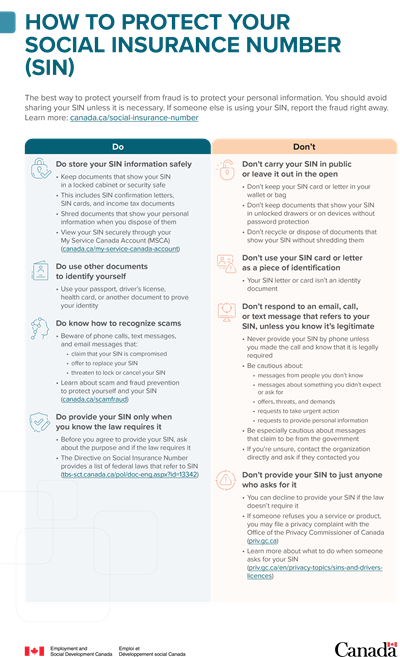
The best way to protect yourself from fraud is to protect your personal information. You should avoid sharing your SIN unless it is necessary. If someone else is using your SIN, report the fraud right away. Learn more on the SIN website.
Do
- Store your SIN information safely
- Keep documents that show your SIN in a locked cabinet or security safe
- This includes SIN confirmation letters, SIN cards, and income tax documents
- Shred documents that show your personal information when you dispose of them
- View your SIN securely through your My Service Canada Account (MSCA)
- Safeguard your mail from theft
- Lock your mailbox, especially when expecting a SIN confirmation letter
- Promptly remove mail received right after delivery
- Notify Canada Post to hold your mail if you plan to be away
- Provide your SIN only when you know the law requires it
- Before you agree to provide your SIN, ask about the purpose and if the law requires it. Ensure you’re satisfied it is necessary to provide it, or
- Offer other documents to prove your identity (for example, your passport, health card, or driver’s licence)
- The Directive on Social Insurance Number provides a list of federal laws that refer to SIN
- Do go to the Get Cyber Safe - Canadian Centre for Cyber Security website to learn best practices for cyber security to keep your SIN safe
Don’t
- Don’t use your SIN card or letter as a piece of identification
- Your SIN letter or card isn’t an identity document
- Don’t carry your SIN in public or leave it out in the open. If you lose your SIN or if someone steals it, someone may use it fraudulently
- Don’t keep your SIN card or letter in your wallet or bag
- Don’t keep documents that show your SIN in unlocked drawers or on devices without password protection
- Don’t recycle or dispose of documents that show your SIN without shredding them
- Don’t reveal your SIN to just anyone who asks for it
- You can decline to provide your SIN if the law doesn’t require it
- If someone refuses you a service or product, you may file a privacy complaint with the Office of the Privacy Commissioner of Canada
- Learn more about what to do when someone asks for your SIN
- Don’t respond to an email, call, or text message that refers to your SIN, unless you know it’s legitimate
- Never provide your SIN by phone unless you dialed the call and know that it is legally required
- Don’t send your personal information or SIN via digital devices, for example, when you’re using an unsecured internet connection
- Be cautious about:
- messages from people you don’t know
- messages about something you didn’t expect or ask for
- offers, threats, and demands
- requests to take urgent action
- requests to provide personal information
- Be especially cautious about messages that claim to be from the government
- If you’re unsure, contact the organization directly and ask if they contacted you
- Be cautious about:
Download the alternate format
(PDF, 89 KB)
7.3 What to do if you suspect your SIN is compromised
You may be at risk of fraud and identity theft if your SIN is breached or compromised. It is important to detect and report potential fraud as early as possible. This will help to protect you and reduce your risk of harm. If your SIN is breached or compromised, you should:
1. Figure out if any criminal activity (for example, theft or fraud) has taken place
If yes, contact your local police to file a complaint. Ask for the case reference number and the officer's name and telephone number. Make sure the report states your name and SIN. Also, contact the Canadian Anti-fraud Call Centre at 1-888-495-8501. This national call center provides advice on and help with identity theft.
2. Contact Equifax and TransUnion, Canada’s 2 national credit bureaus
Request a free copy of your credit report so you can review this report for any suspicious activity. There is 1 free report issued per year. Ask about adding a fraud alert your credit file. This will instruct creditors to contact you before opening new accounts in your name.
Contact information
- Equifax: 1-800-465-7166
- TransUnion: 1-800-663-9980
3. Inform your bank and creditors
Look for the contact information on the back of your bank card(s) and credit card(s).
4. When you receive mail, report any irregularities to Canada Post (1-866-607-6301)
This may include opened envelopes or missing financial statements or documents.
5. At any time, you can get guidance from Service Canada
Find out more about fraud and data breaches and protecting your SIN.
7.4 What to do if your organization is handling privacy breaches involving SINs
This section applies to any organization that is subject to PIPEDA or other provincial and territorial legislation. Follow any federal, provincial or territorial requirements or guidelines for handling privacy breaches and breach notification.
For cases where there are no such guidelines, the following guidelines may apply. For example, these guidelines may apply in the case of a breach of employee information of non-Federal workers. These guidelines explain required steps when notifying the proper authorities in cases of suspected theft or inappropriate disclosure of personal information, like the SIN.
Step 1: Assess the damage
Figure out the type and extent of personal information compromised. Find out when it happened and what information was compromised. If the case involves digital files, find out if the data was encrypted. Consider:
- what information compromised?
- when and how did it happen?
- where and how was the information stored?
- were any security measures in place?
Step 2: Contact the police and the Canadian Anti-Fraud Centre
If any criminal activity occurred, for example, theft or fraud, contact the police. You may also wish to contact the Canadian Anti-Fraud Call Centre (1-800-495-8501).
Step 3: Contact Service Canada
Service Canada may be able to help you figure out next steps. Service Canada may also be able to help you to reduce the damage to victims of the breach. Contact Service Canada’s Social Insurance Number Program.
Step 4: Contact credit bureaus
Speak to fraud specialists at Canada’s 2 national credit bureaus. Discuss the type of warning help you need to respond to the incident.
- Equifax: 1-800-465-7166
- TransUnion: 1-800-663-9980
Step 5: Contact the Office of the Privacy Commissioner of Canada
If the breach includes personal information (including SINs), you may need to notify the Office of the Privacy Commissioner (OPC) of Canada. This is legally required if your organization is subject to PIPEDA and if the breach poses a real risk of significant harm to an individual. There may be equivalent reporting requirements at the provincial/territorial level as well. For more information, please go to the Report a privacy breach at your organization website.
Step 6: Contact all affected individuals
If you are required to report the breach to the Office of the Privacy Commissioner (OPC) under PIPEDA, you are also required to contact the affected individuals in writing as soon as possible. If your organization falls under provincial PIPEDA equivalents, you may also be required to notify those affected. The letter should:
- explain the incident
- describe the measures taken
- explain what type of information may be at risk
- consider offering free credit monitoring services
- provide advice on what the affected individual should do
- provide SIN information and resources
- provide contact information for further support, including:
- a representative from the organization
- credit bureaus
- Service Canada

Download the alternate format
(PDF, 131 KB)